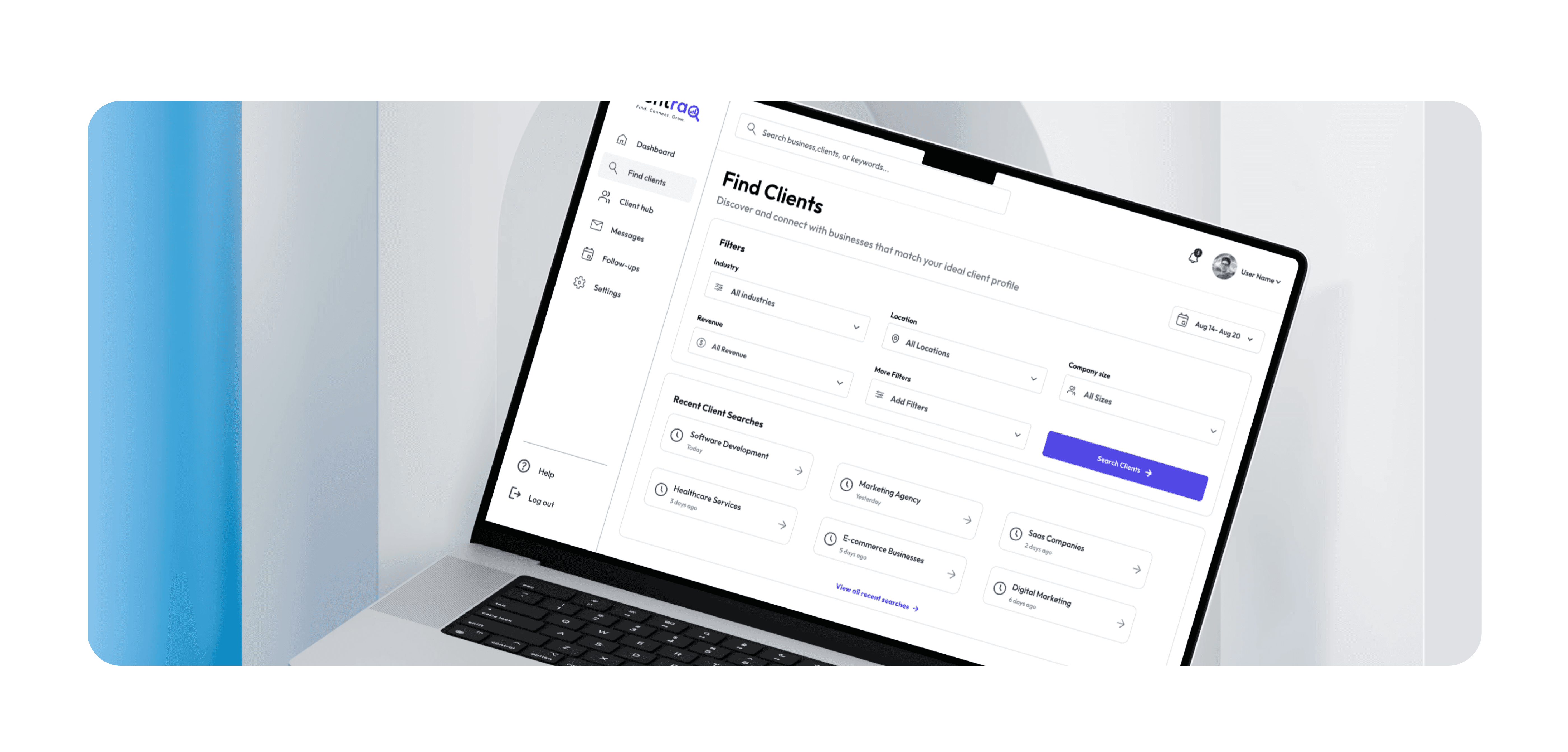


Clientraq - UX Case Study: Client Acquisition & Management
ClientRaq is a web application concept designed to help freelancers and small businesses manage the client acquisition process in one organized workspace. The platform brings leads, client information, follow-ups, communication, and acquisition progress together to reduce scattered workflows and help users stay on top of potential opportunities.
My Approach
Clientraq was designed around a simple question: How can we make client acquisition easier to manage without adding another complicated tool to the workflow?
The goal was to create a focused experience that helps users move from discovering a potential client to converting and managing that relationship. Instead of relying on spreadsheets, notes, messaging apps, and multiple disconnected tools, ClientRaq brings the essential parts of the acquisition journey into one place.
The design process focused on understanding the challenges users face when managing multiple prospects, identifying opportunities to simplify the workflow, and creating an interface that makes important information easy to find and act on.
Vision and Innovation
The vision behind Clientraq is to create a more structured and manageable client acquisition experience.
Freelancers and small businesses often spend time switching between different tools to track prospects, remember follow-ups, store client information, and monitor the status of opportunities. ClientRaq explores how these activities can be brought together into a single, intuitive workflow.
The product uses a clear information hierarchy, status-based organization, actionable dashboards, and streamlined interactions to help users understand what needs attention and what action they should take next.
Identifying Unique Challenges
The research and problem exploration focused on several common challenges within client acquisition:
Leads are often tracked across spreadsheets, notes, and messaging platforms.
Follow-ups can easily be forgotten when managing multiple prospects.
Important client information is scattered across different tools.
Users may not have a clear view of where each prospect stands.
Manually maintaining acquisition pipelines can become time-consuming.
It can be difficult to distinguish active opportunities from inactive leads.
These challenges shaped the core product requirements and helped define the structure of the ClientRaq experience.
Resolving Complex Problems
ClientRaq addresses these problems by organizing the acquisition journey into a more structured system.
The application provides users with a centralized view of their prospects, allowing them to track client status, manage follow-ups, review relevant information, and understand their overall acquisition pipeline.
Rather than overwhelming users with excessive information, the interface prioritizes the actions and details that matter most during the client acquisition process.
The experience is designed around clear navigation, meaningful status indicators, organized client records, and contextual actions that reduce unnecessary steps.
User-Centric Design
ClientRaq follows a user-centered design approach, with the interface built around the needs and behaviors of its target users.
The design prioritizes clarity over complexity. Users should be able to quickly understand their current pipeline, identify opportunities that require attention, and access client information without navigating through unnecessary screens.
Throughout the design process, emphasis was placed on:
Clear information hierarchy
Simple navigation
Consistent interaction patterns
Easy-to-scan client information
Action-oriented workflows
Responsive and accessible interface design
Every major screen was designed to support a specific user task rather than simply presenting information.
Meeting User Needs
ClientRaq is designed for users who need a practical way to organize and manage client acquisition.
The product supports different stages of the journey—from adding a new prospect and tracking their progress to scheduling follow-ups and maintaining client information.
By creating a centralized workspace, ClientRaq aims to reduce the mental overhead involved in remembering what happened with each prospect and what needs to happen next.
Detailed Pages and Features
Dashboard: Provides an overview of acquisition activity, pipeline status, upcoming follow-ups, and key client information.
Leads: Allows users to view, organize, and manage potential clients throughout the acquisition process.
Lead Details: Provides a centralized view of individual prospect information, activity, notes, and acquisition status.
Pipeline: Visualizes prospects according to their current stage, making it easier to understand the overall acquisition journey.
Follow-ups: Helps users keep track of upcoming actions and prevents important follow-ups from being overlooked.
Clients: Provides an organized space for managing converted clients and maintaining their information.
Client Details: Gives users access to relevant client information and interaction history in one place.
Add Lead: Simplifies the process of adding a new prospect and capturing the information needed for future follow-ups.
Search & Filters: Helps users quickly find specific leads or clients and narrow information based on relevant criteria.
Settings: Provides controls for managing application preferences and account-related information.
Information Architecture
The information architecture was structured around the user's core workflow:
Discover → Add Lead → Qualify → Follow Up → Convert → Manage Client
This structure helps transform client acquisition from a collection of disconnected activities into a clear and trackable process.
The navigation was kept focused on the areas users are most likely to access regularly, while secondary actions and information were organized within relevant contexts.
UX Design Process
The project followed a structured UX process:
Research → Define → Ideate → User Flow → Wireframes → UI Design → Prototype → Testing → Iteration
Each stage helped reduce assumptions and progressively shape the product experience.
Research was used to understand the problem space and user behaviors. The findings were translated into a focused problem statement and product requirements. User flows and wireframes were then crea


